
What Makes a Social Media Scheduling Tool Actually Good for Agencies?
Most social media scheduling tools are built around one basic idea:
Create a post. Pick a date. Publish it.
That’s fine when you’re managing one brand.
An agency has a different problem.
You’re managing multiple clients, multiple calendars, multiple approval processes, writers, designers, account managers, and a steady stream of “Can we change this before it goes live?”
So when an agency asks for the best social media scheduling tool, I wouldn’t start by comparing how pretty the calendar looks.
I’d start with a more important question:
Can this tool handle the operational mess that happens before a post gets published?
1. Multi-Client Management Comes First
The first requirement is obvious: you need to manage multiple clients without creating a separate operational headache for every account.
Look for:
Separate client workspaces or clear account organization
Multiple social profiles
Easy switching between accounts
Client-specific content calendars
Clear permissions for internal teams and clients
If your team has to constantly double-check which account they’re working in, the software is creating risk instead of removing it.
A scheduling tool should make client separation obvious.
2. Scheduling Is Only One Part of Publishing
Publishing across social networks is table stakes.
What matters is how much work happens around publishing.
A useful agency platform should let your team prepare content once and distribute it across the channels you actually manage without manually repeating the same process.
That’s particularly important when you’re managing several clients with different publishing schedules.
The fewer repetitive steps your team performs, the more accounts they can realistically manage without adding headcount.
3. Client Approval Cannot Be an Afterthought
This is where many scheduling workflows break.
Your team creates the content in one tool, sends it to the client through email or another app, receives feedback somewhere else, makes changes, and eventually returns to the scheduling tool.
Now your workflow looks like:
Create → Send → Chase → Revise → Resend → Approve → Schedule
That’s too much movement.
The better approach is to connect content creation, client review, revisions, approval, and scheduling.
Clients don’t need access to your entire operation. They need a simple way to review the right content and tell you whether it’s approved or needs changes.
4. Your Team Needs More Than a Calendar
A content calendar tells you when something is going out.
It doesn’t necessarily tell you who needs to do what next.
Agency software should connect publishing with team tasks.
For example:
Writer → Caption ready → Designer → Creative ready → Account manager → Client approval → Scheduled
Now everyone knows where the post is stuck.
That’s much more valuable than another color-coded calendar.
5. Look at the Entire Workflow, Not the Feature List
This is the mistake I’d avoid when comparing tools.
Don’t count features.
Map your actual workflow from the moment a client asks for next month’s content to the moment the final post is published.
Then ask:
How many times does my team have to copy, paste, download, upload, message, chase, or switch between tools?
That’s the number worth reducing.
A platform with 50 features can still be inefficient if your team has to leave it every time something important happens.
Why GoGoHype Is Built Differently
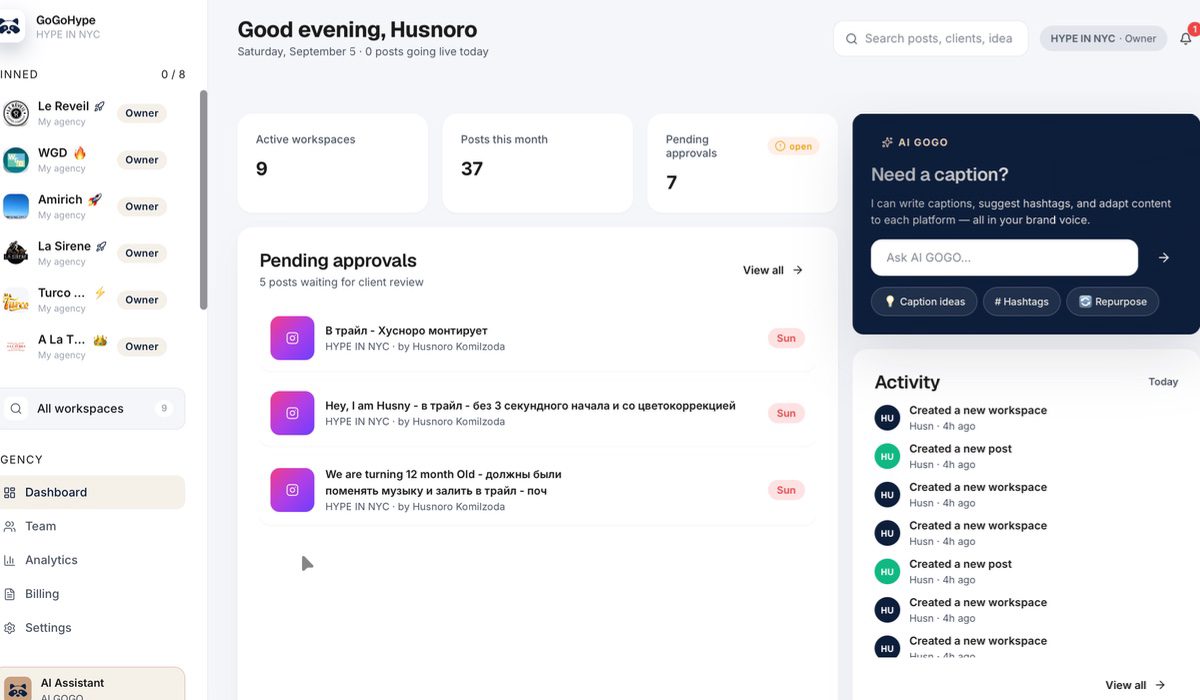
GoGoHype is built around the agency workflow, not just the publishing step.
You can manage multiple clients, organize team tasks, generate captions with AI, run content approval workflows, and automatically publish across 8 social platforms from one place.
The point isn’t to replace every piece of software your agency uses.
It’s to eliminate the unnecessary gaps between the work your team is already doing.
For an agency, that’s the difference between having a scheduling tool and having an operating system for social media delivery.
The Best Tool Is the One Your Team Actually Uses
There isn’t a universal “best” scheduling platform for every business.
But for agencies, I’d prioritize these five things:
Multi-client management
Simple client approvals
Connected team workflows
Reliable multi-platform publishing
Less manual work between stages
If a tool handles those well, the calendar becomes useful because it’s connected to everything around it.
If you’re evaluating social media scheduling tools for your agency, take a look at GoGoHype and see whether it fits the way your team actually works.