
Managing multiple clients is a workflow problem, not a posting problem
When you manage social media for one client, almost any system works.
Two clients? Still manageable.
Five, ten, or twenty clients? That’s when the cracks show.
You have content in Google Drive, approvals buried in email, client feedback in Slack, publishing happening in one tool, tasks in another, and someone on the team asking, “Did this client approve Tuesday’s post?”
The problem isn’t that your agency has too many social media accounts.
The problem is that the workflow between those accounts is fragmented.
A good system should make it obvious what needs to happen, who owns it, what has been approved, and what is ready to publish.
1. Give every client their own workflow
Don’t manage all clients from one giant content calendar.
Each client should have a clear workspace containing:
Content ideas
Draft posts
Visual assets
Approval status
Scheduled content
Assigned tasks
Performance information
The goal is simple: when a team member opens a client, they should immediately understand what’s happening now and what happens next.
A useful status flow is:
Idea → Draft → Internal Review → Client Approval → Scheduled → Published
That removes a surprising amount of back-and-forth.
2. Separate internal approval from client approval
This is one of the easiest places for agencies to create unnecessary chaos.
Your team should review content before the client sees it.
A social media manager shouldn’t send a client a caption containing obvious mistakes and then wait for the client to point them out.
Instead:
Internal review
Check:
Brand voice l
Spelling and grammar
Visual quality
Platform formatting
Hashtags
Links
Campaign requirements
Client approval
The client should then be deciding whether the content represents their brand—not doing your team’s quality-control job.
This distinction becomes extremely important when you’re handling multiple accounts.
3. Stop treating publishing as a separate job
If your team creates content in one place and manually publishes it across Instagram, Facebook, LinkedIn, TikTok, YouTube, Pinterest, X, or other platforms, you’re creating unnecessary operational work.
A proper agency workflow should connect creation → approval → scheduling → publishing.
For example:
Caption written → visual attached → internal approval → client approval → schedule once → publish across relevant platforms.
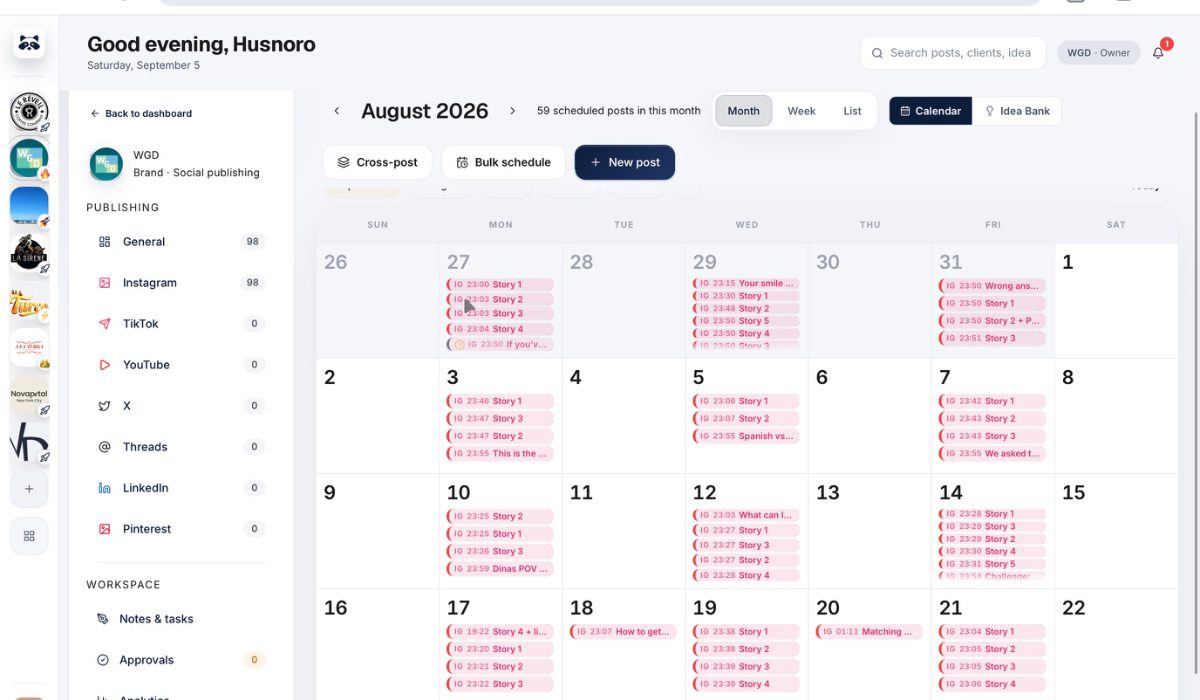
GoGoHype is built around this exact workflow, combining client management, content approvals, team tasks, AI caption generation, and auto-publishing across 8 social platforms in one place.
The point isn’t having another dashboard.
It’s removing the gaps between the dashboards you already use.
4. Make ownership painfully clear
Every piece of content should have one person responsible for moving it forward.
Not:
“Someone on the team needs to finish this.”
Instead:
Sarah — finalize caption by Tuesday
Mike — revise creative
Client — approve by Wednesday
Scheduled — Thursday at 10 AM
This matters because agencies don’t usually miss deadlines because nobody cares.
They miss them because responsibility becomes ambiguous.
Team task management should therefore live alongside the content workflow—not in a completely separate system that nobody checks.
5. Use AI for speed, not judgment
AI can remove a lot of repetitive work from social media management.
Use it for things like:
First-draft captions
Caption variations
Hooks
Content ideas
Repurposing
Adjusting copy for different platforms
But don’t hand your client’s brand voice over to AI and call it a strategy.
The agency still owns the judgment.
AI should help your team get from a blank page to a strong draft faster. The final decision should remain with someone who understands the client.
6. Build one operating system for the agency
Once you have several clients, switching between five or six tools all day becomes an invisible tax on your agency.
The better approach is to bring the critical workflow together:
Clients + content + approvals + tasks + AI + publishing.
That gives your team one source of truth.
And when a client asks, “What’s the status of our content this week?”, you shouldn’t need to search through three apps to answer.
You should know immediately.
The real goal isn’t managing more accounts
The goal is to make 10 clients feel operationally closer to managing 3.
That happens when your agency stops relying on memory, scattered messages, spreadsheets, and manual publishing—and starts running on a repeatable system.
If you’re at the point where managing multiple client accounts is becoming an operational headache, GoGoHype can give your team one place to organize the workflow from draft to approval to publication.